
If you’ve been searching for smarter ways to simplify your daily routines, improve organization, and create a more responsive living space, you’re in the right place. This article explores how voice assistant home integration is transforming modern households—making it easier to manage wellness habits, streamline tasks, and connect your favorite smart devices into one seamless system.
Many homeowners struggle with juggling multiple apps, disconnected devices, and routines that never quite stick. We break down how integrating voice technology into your home setup eliminates friction, saves time, and supports a more balanced lifestyle. From optimizing morning routines to automating lighting, reminders, and security features, you’ll discover practical strategies you can apply immediately.
Our insights are grounded in hands-on testing of smart home tools, current technology trends, and proven home organization principles—so you can confidently build a system that works efficiently and reliably for your everyday life.
Smart homes promise the future, but juggling five apps feels more like herding cats. A voice assistant—software that responds to spoken commands—acts as your home’s command center. Instead of tapping endlessly, you say it once and everything listens (finally).
First, choose your ecosystem: Alexa, Google Assistant, or Siri. Each supports different devices, so compatibility matters. Next, connect gadgets through their companion apps, then link them inside the assistant. This process, often called voice assistant home integration, simply means getting devices to talk to one another.
Before long, your lights dim, thermostat adjusts, and speakers sync—no app acrobatics required. Magic happens.
Choosing Your Voice Ecosystem: The Big Three
This is the most important smart home decision you’ll make (yes, even more than which robot vacuum to buy). Your ecosystem determines which devices connect, which features unlock, and how smooth your daily routines feel.
Start With How You Actually Live
Amazon Alexa: The Compatibility King
If you want the widest range of compatible devices, choose Alexa. It supports thousands of brands, from budget smart plugs to high-end lighting systems. Its “Skills” library—think of these as mini apps—lets you customize everything from meditation timers to pizza ordering.
Some argue Alexa’s openness can feel cluttered. That’s fair. But if flexibility matters more than minimalism, Alexa wins. Recommendation: Pick Alexa if you plan to experiment or mix and match brands.
Google Assistant: The Conversational Genius
Google Assistant shines with natural language processing (the ability to understand how humans actually speak). You can say, “Turn off the lights after this episode,” and it usually gets it right. It also integrates seamlessly with Google Calendar, Maps, and YouTube.
If you live in Gmail and rely on Google services daily, this is your ecosystem. Recommendation: Choose Google if convenience and context matter most.
Apple HomeKit (Siri): The Guardian of Privacy
HomeKit prioritizes encryption and on-device processing, which Apple says minimizes data exposure (Apple Privacy Overview). The trade-off? Fewer compatible devices.
If you already use iPhone, Mac, or Apple TV, this is the smoothest path. Recommendation: Pick HomeKit if privacy and ecosystem consistency top your list.
When planning your voice assistant home integration, don’t chase features—choose the system that fits your digital habits.
The 5-Step Blueprint for a Voice-Controlled Home
Everyone says building a smart home is “plug and play.” In theory, sure. In reality, it’s more like assembling IKEA furniture without the tiny Allen wrench (close, but not effortless). Still, if you follow these five steps, you’ll avoid most of the common headaches.
Step 1: Set Up Your Hub
First, unbox your primary voice assistant—Amazon Echo, Google Nest Hub, or similar. Plug it in and follow the in-app instructions to connect to Wi-Fi. Simple enough. Yet here’s the contrarian truth: your hub placement matters more than people admit. Don’t hide it in a corner. Voice assistants rely on microphone arrays to detect speech accurately (Amazon, 2023). Central placement improves response time and reliability.
Step 2: Discover Your Devices
Next, open your app (Alexa or Google Home) and use “Add Device” or “Scan for Devices.” The system will search your network for compatible products. Most guides imply this always works flawlessly. It doesn’t. If devices don’t appear, check that they’re on 2.4 GHz Wi-Fi—many smart devices don’t support 5 GHz (Google Nest Help, 2024). Small detail, big difference.
Step 3: Organize into Rooms and Groups
Here’s where voice assistant home integration either shines or frustrates you. Assign devices to rooms like “Living Room” or “Kitchen.” Then test commands such as, “Turn off the living room.” Skip this step, and you’ll be shouting overly specific commands forever (not exactly the futuristic vibe you wanted).
Step 4: Test Basic Commands
Start small: adjust lights, thermostat, or plugs. Don’t assume it works—verify it. Think of it like a soundcheck before a concert.
Step 5: Link Music and Video Services
Finally, connect Spotify, Apple Music, or Netflix in settings. Yes, automation is impressive—but seamless entertainment control is what makes it feel like Tony Stark’s living room (minus the AI sarcasm).
Pro tip: rename devices clearly from day one. Future you will be grateful.
Beyond Commands: Unlocking True Automation with Routines
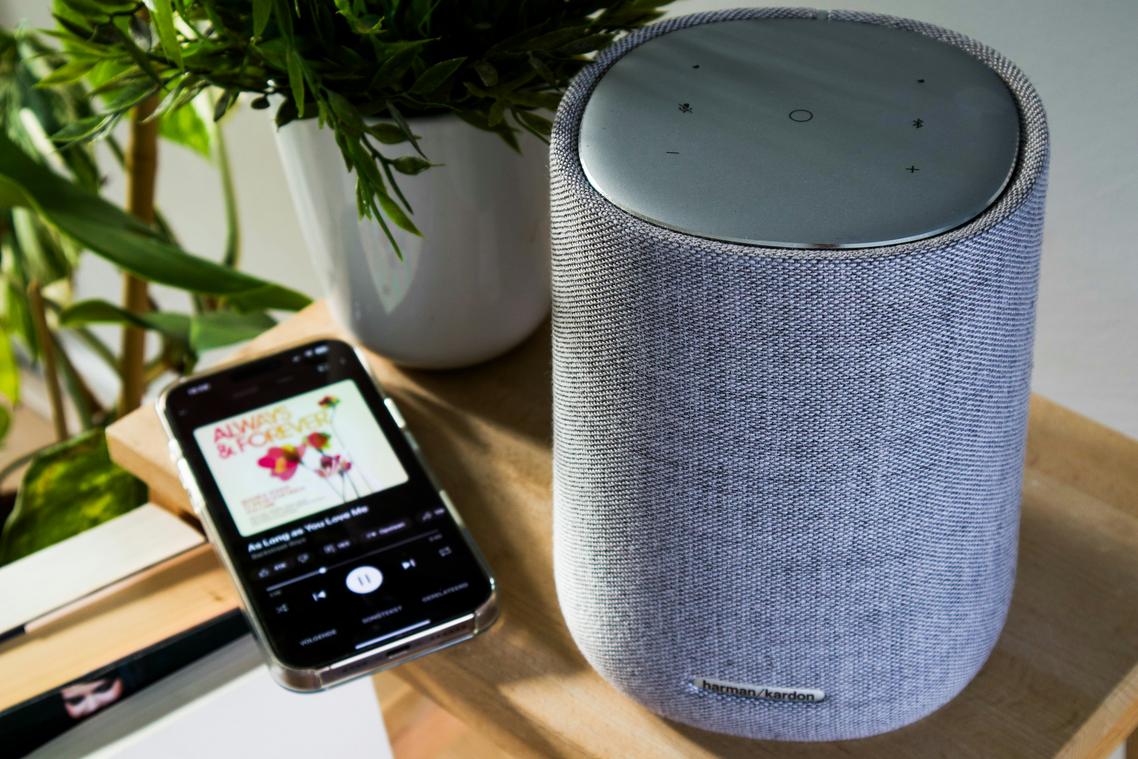
This is where your smart home stops feeling like a gadget demo and starts feeling like REAL LIFE MAGIC. Routines let one command trigger a chain reaction of actions—what tech pros call a “multi-step automation” (a preset sequence that runs automatically after a trigger).
Everyday Moments, Automated
In many suburban homes where mornings start before sunrise, a simple “Alexa, good morning” can gradually raise bedroom lights to 60%, start the Wi-Fi coffee maker, and queue the local weather from your nearest station. That’s not convenience—that’s SYSTEMIZED LIVING.
For “Hey Google, it’s movie time,” lights dim to 20%, the TV and soundbar power on, and motorized blinds close—perfect for basement media rooms or open-plan condos with street-facing windows.
Some argue routines are overkill (why not flip switches manually?). Fair point. But once you experience seamless voice assistant home integration, going back feels like using a flip phone in a smartphone world.
To build one, open the “Routines” or “Automations” tab, choose a trigger (phrase or schedule), and stack actions. Pro tip: layer security cues inspired by smart security systems features and benefits explained (https://lwtc148.com/smart-security-systems-features-and-benefits-explained/) for smarter control.
Essential Checks for Compatibility and Privacy
Buying a new smart device feels exciting—but have you ever wondered if it will actually work with what you already own? Look for logos like “Works with Alexa,” “Works with Google Home,” or the Matter badge. Matter is a universal standard, meaning one gadget can play nicely across ecosystems (finally, some tech harmony). Planning voice assistant home integration? Compatibility today prevents headaches tomorrow.
Worried about privacy? All assistants store recordings. Review and delete voice history regularly. Peace of mind starts in your settings. And don’t forget the physical mute switch—because sometimes, silence is golden.
From Connected Gadgets to an Intuitive Home
At some point, I realized a house full of smart gadgets isn’t the same as a smart home. In fact, juggling five different apps feels more chaotic than convenient. That’s why I believe the real breakthrough is voice assistant home integration. Instead of hopping between dashboards, you simply speak—and everything responds.
Of course, some people enjoy manual control (and I get it, tapping buttons feels precise). However, simplicity wins long term. When lights, thermostats, and routines sync under one system, complexity fades into the background. So start small. Add a light or plug today, then build steadily toward a home that truly thinks with you.
Bring Your Home Together with Smarter Systems
You started this guide looking for practical ways to make your home more efficient, organized, and aligned with your daily routines—and now you have a clear path forward. From simplifying wellness habits to streamlining storage and leveraging voice assistant home integration, you’ve seen how small, intentional upgrades can transform the way your space works for you.
The real pain point isn’t just clutter or outdated tech—it’s the daily friction that drains your time and energy. When your home doesn’t flow, neither do you. But when your systems are aligned, your routines feel lighter, faster, and far more sustainable.
Now it’s time to take action. Choose one area—whether it’s automating lighting, refining your morning routine, or implementing voice assistant home integration—and optimize it this week. Small wins build momentum.
If you’re ready to eliminate overwhelm and finally create a home that works as hard as you do, explore our proven smart home and organization strategies today. Thousands trust our practical, results-driven insights to simplify their spaces—start now and experience the difference for yourself.